
Windows desktop app
The offline bulk editor for Meta Ads.
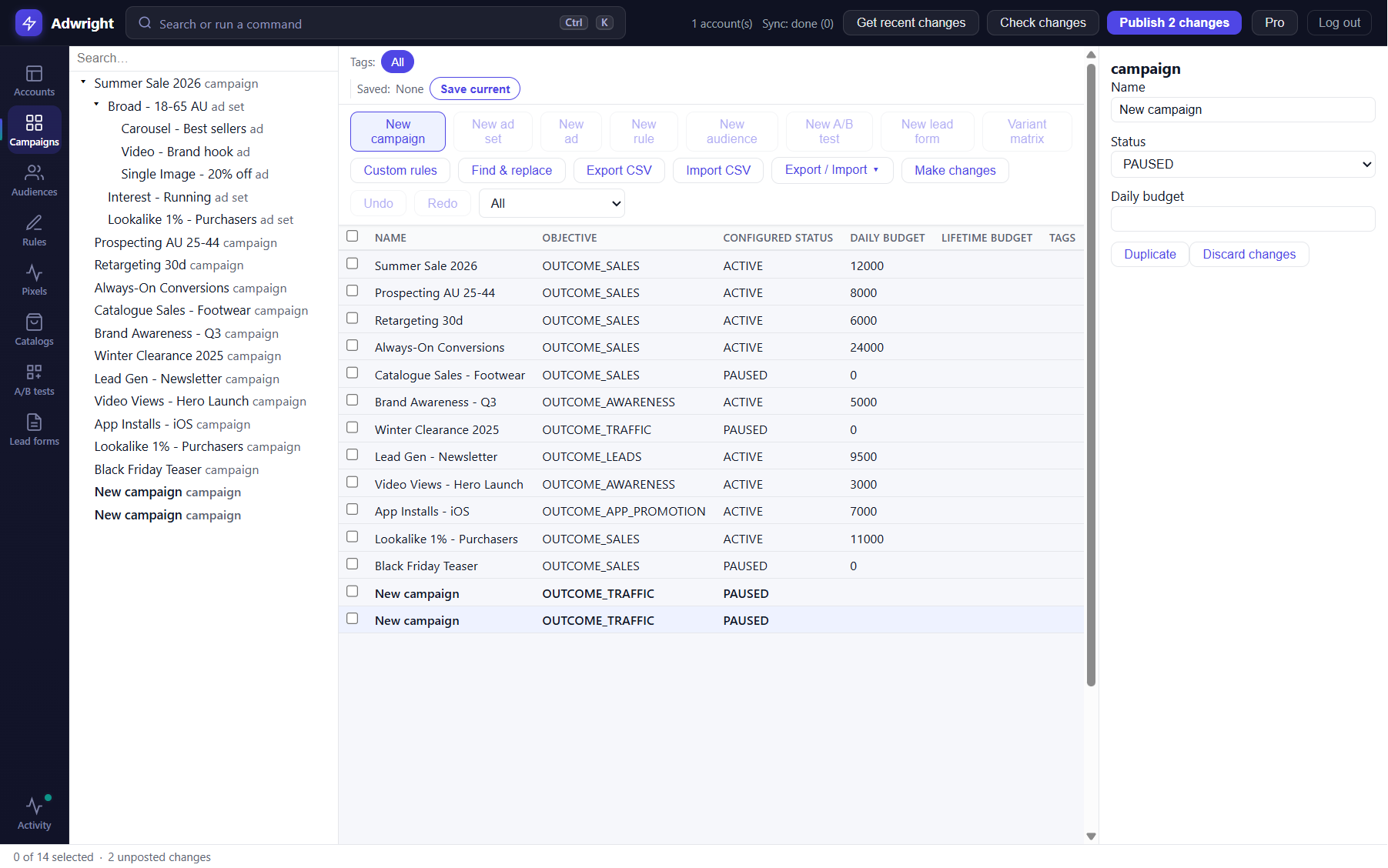
Like Google Ads Editor — but for Meta. Pull your ad account, edit campaigns, ad sets, and ads fully offline, then publish everything in one click. Flat-price. Spend-independent.
Windows 10 / 11 · x64 & ARM64
Features
Everything you need to bulk-edit Meta Ads
Built for media buyers and agencies managing campaigns at scale.
Fully offline editing
Pull your account once and work completely offline in a fast command-bar workspace — browse, edit, and review without waiting on a web UI. Reconnect only to publish.
Bulk edit at scale
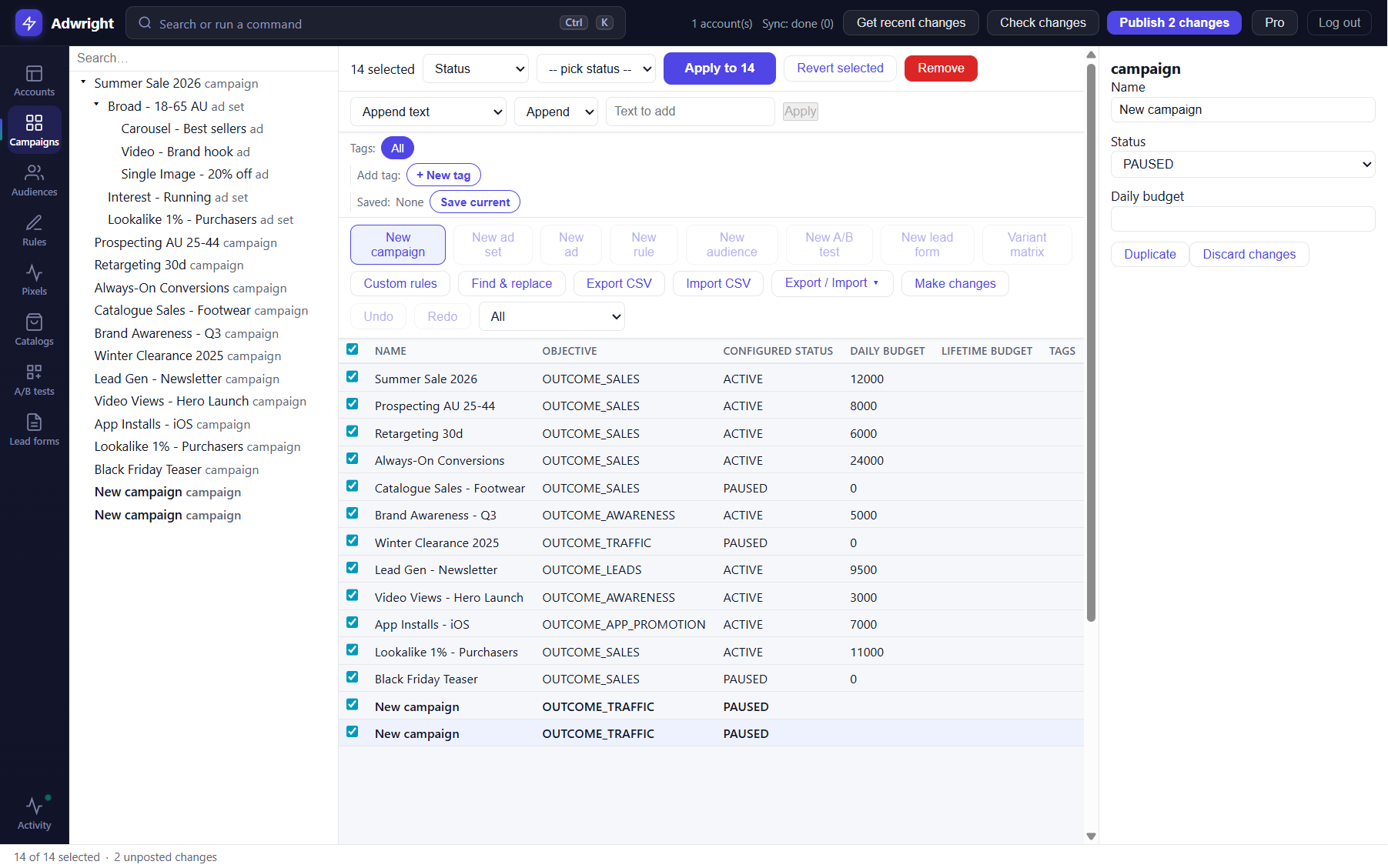
Multi-select hundreds of objects and change budgets, dates, bidding, and targeting at once. Find-and-replace, a naming-convention engine, a bulk UTM/URL builder, and CSV import/export with a paste-grid.
Built-in QA lint
A rules engine catches problems before you publish — custom rules with error/warning severity, duplicate-ad detection, and CBO/ABO budget checks.
Variants & proposals
Generate permutation matrices to spin up campaign variants in bulk, and export a .maes proposal for offline review and one-click approval — with snapshot & restore.
Schedule & publish
Review every pending change in a pre-flight diff, then publish in one batch via the Marketing API — or schedule changes to go live, pause, or rebudget at set times. Unlimited undo / redo.
Advanced objects & reuse
Custom audiences, lookalikes, lead forms, catalogue product sets, A/B tests, and custom delivery rules — plus reuse an existing post to keep its social proof.
Bulk tools
Edit hundreds of objects at once
Multi-select hundreds of ad sets and change budgets, dates, bidding, and targeting in one operation. The bulk bar packs find-and-replace, a naming-convention engine, a UTM builder, tags and saved searches, and CSV / paste-grid import — all staged locally and reviewed before you publish.
- Multi-select across the grid
- Find & replace + naming-convention engine
- Bulk UTM / URL builder
- CSV import / export + paste-grid
- Labels, tags & saved searches
Why Adwright
Why Adwright over cloud tools?
Your token stays local
Adwright talks to the Meta Marketing API directly. No middleman server ever sees your access token or your account data.
Flat price, spend-independent
Pay a fixed monthly or annual fee. Your cost never scales with your ad spend the way a percentage-of-spend tool does.
Editor speed for Meta
A fast desktop grid built for bulk editing. Pull once, work offline, and publish everything in one batch.
| Feature | Adwright | Cloud tools |
|---|---|---|
| Works offline | ✓ | — |
| Bulk edit (unlimited rows) | ✓ | Partial |
| Flat price | ✓ | — |
| Token stays local | ✓ | — |
| Google Ads Editor UX | ✓ | — |
| Reporting / analytics | — | ✓ |
| Cross-platform | Windows | ✓ |
Pricing
Simple, flat pricing
Start free. Upgrade to Pro for unlimited accounts and the full bulk toolkit.
Free
For getting started
$0
- 1 connected ad account
- Full offline editing
- Pull, validate, and publish
- Campaigns, ad sets, and ads
- Core creative editing
Pro
For agencies & power users
/mo
- Everything in Free
- Unlimited ad accounts
- Bulk tools: find-replace, naming & UTM builders
- CSV import / export + paste-grid
- Labels, tags & saved searches
- QA lint engine (rules, duplicate & budget checks)
- Variant matrices + .maes proposals
- Ad scheduling + unlimited undo / redo
- Advanced objects, A/B tests & post reuse
- Priority support
Frequently asked questions
Answers to common questions about Adwright.
Ready to bulk-edit faster?
Download Adwright for Windows and pull your first account in minutes. Free to start — no card required.
Windows 10 / 11 · x64 & ARM64